Opening Ehome to the World
dim. 18 décembre 2022
Ok now it is time to open my EHome to the world: mainly to make a bridge between my Internet box (a FreeBox Revolution) and the internet. We have to:
- Install an HTTPD server on EHome.
- Redirect port from the Freebox to the port 80 of EHome.
- Publish some content.
Installing Apache2
Very straigh-forward, we will use the default configuration that is perfect (optimization later):
$ ssh ehome
$ apt install apache2
That's it. Disconnecting, we can check wether the HTTPD server is answering:
$ xdg-open http://ehome
And we should get the default Apache2 connection page:
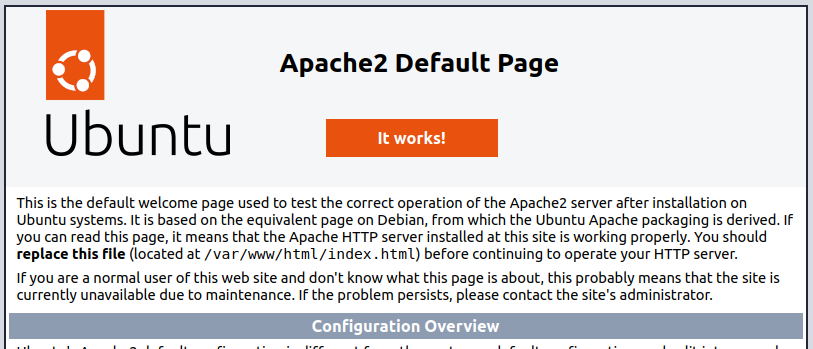
It works!
Redirecting the ports
I suppose that today, all internet boxes supports port direction. With the Freebox, it remains an issue : while we do not configure the account as Full stack, we can only redirect ports above 49531. In the mean time, I will redirect port 50 000 to port 80 (HTTP) of Ehome.
The final redirection configuration is:
- Destination IP: 192.168.1.3 (EHome)
- Source IP: all
- Protocol: TCP
- Port range: 50000-50000
- Port destination: 80
For the host name, I guess it depends on the Internet provided option. With Free, we can have domain name as EHOME.freeboxos.fr. So I can connect now to my HTTP server with:
$ xdg-open http://EHOME.freeboxos.fr:50000
And I should get the same default Apache2 page.
Publish my Blog
I wrote this text with Pelican. So, once the pages generated and ready for deployment:
$ pelican content -s publishconf.py
It remains to send files to EHome web server:
$ rsync -avc --delete output/ ehome:/var/www/html/
And I can try my first extern publication of this blog:
$ xdg-open http://EHOME.freeboxos.fr:50000
And all works fine.
My next step. Try to run (Radicale)[https://radicale.org/v3.html] the server of Calendars and Contacts.
Publishing a website out of /var/www
You can store different website served by the same Apach2 server and at different position than /var/www. This is specially convenient as, with Raspberry Pi, the size of root directory / is limited. On my installation, most of my data is stored on an external disk /serve/www.
If the site is stored in /serve/www/$MYSITE, then you provide access throught URL http://localhost/$MYSITE bny adding to /etc/apache2/sites-enabled/000-default.confthe lines:
    Alias /$MYSITE /serve/www/$MYSITE
    <Directory /serve/www/$MYSITE>
        Options Indexes FollowSymLinks
        AllowOverride All
        Require all granted
    </Directory>
Just before the line </VirtualHost>.